tl;dr seenix.dev lays every byte of a Nix closure out on a map, one pixel per byte, and lets you zoom from a whole NixOS system down to the hex of
libc.so.6. Try hello, firefox or a GNOME desktop. Nothing runs on a server.
With the advent of LLMs I keep tugging at any crazy question I ask myself. I know there is the anti-AI crowd and they will happily proclaim anything pursued in this vein as “slop” but I am feeling fortunate to be able to explore these questions.
My recent itch was to ask “what does a Nix closure look like?” and to answer it in a way that is interactive and visual. I wanted to see the bytes, not just the store paths. I had come across binvis.io on Hacker News and I found it a compelling way to look at data. I personally never found a need for it, but I found it fascinating none-the-less.11Aldo Cortesi’s writing on visualising binaries is a great resource on this.
The timing for this itch was perfect. I noticed a trending thread on X where a Python binary seemingly includes ffmpeg and ruby. 🤷
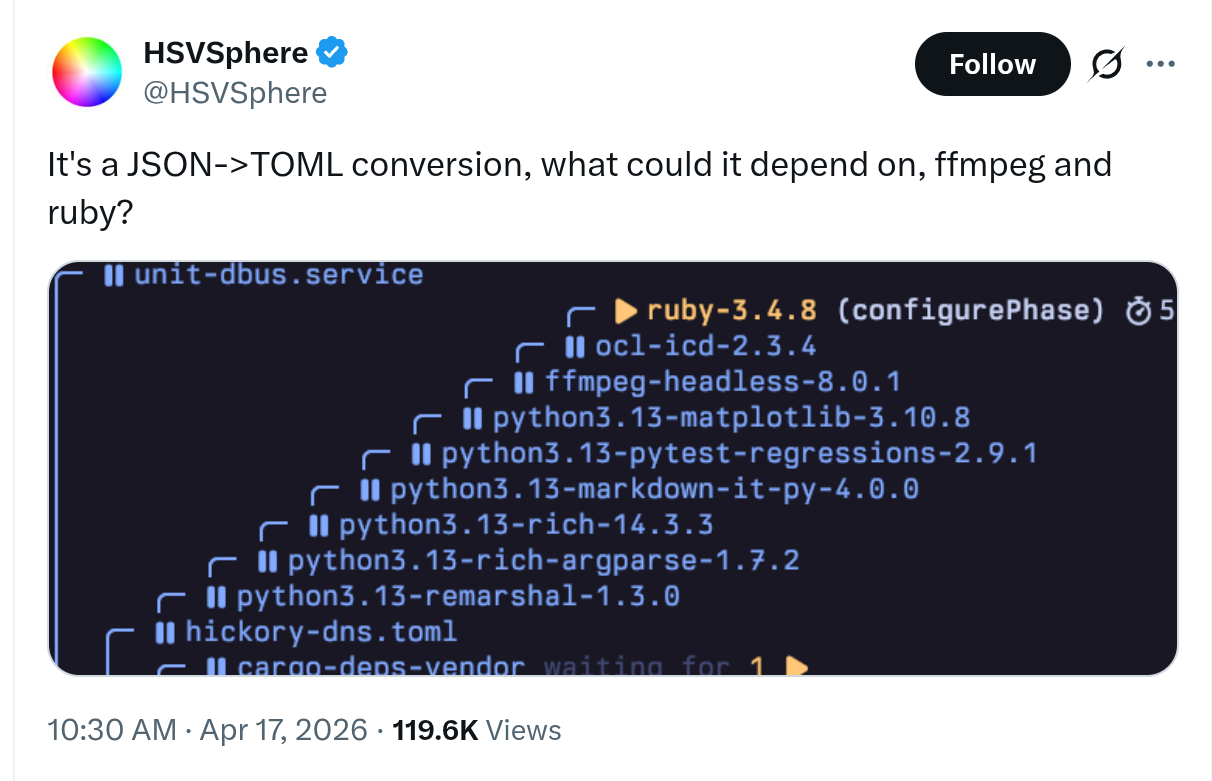
I built that tool. You can check it out at seenix.dev. It is a single-page web app that runs entirely in your browser, with no server. It fetches the narinfos of a closure and lays them out on a map, one pixel per byte, and lets you zoom in to see the bytes themselves.
We can visualize the closure of that binary, remarshal, and see if it really does include those two packages. Turns out it does not. The closure is 41 store paths and 234 MiB, with no ffmpeg and no ruby among them. Turns out those dependencies are build-time and are not included in the final runtime closure.
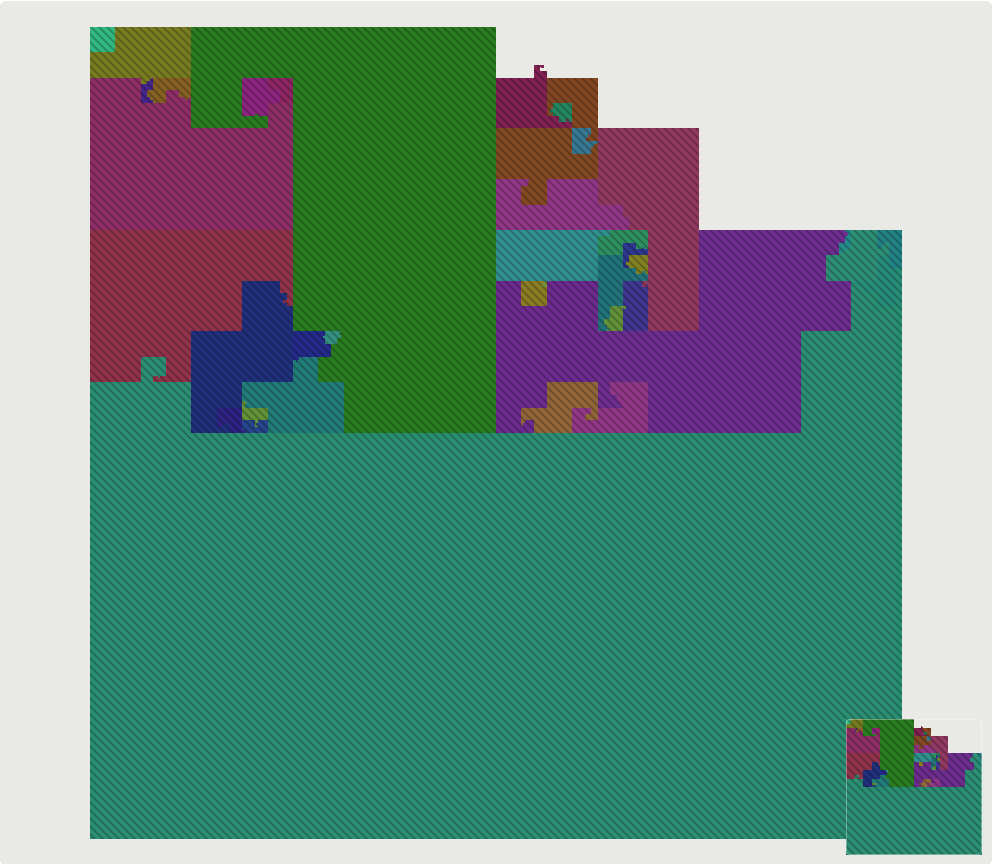
We can visualize much larger closures. Here is a GNOME desktop: 1,324 store paths and 5.3 GiB, each colour one package.
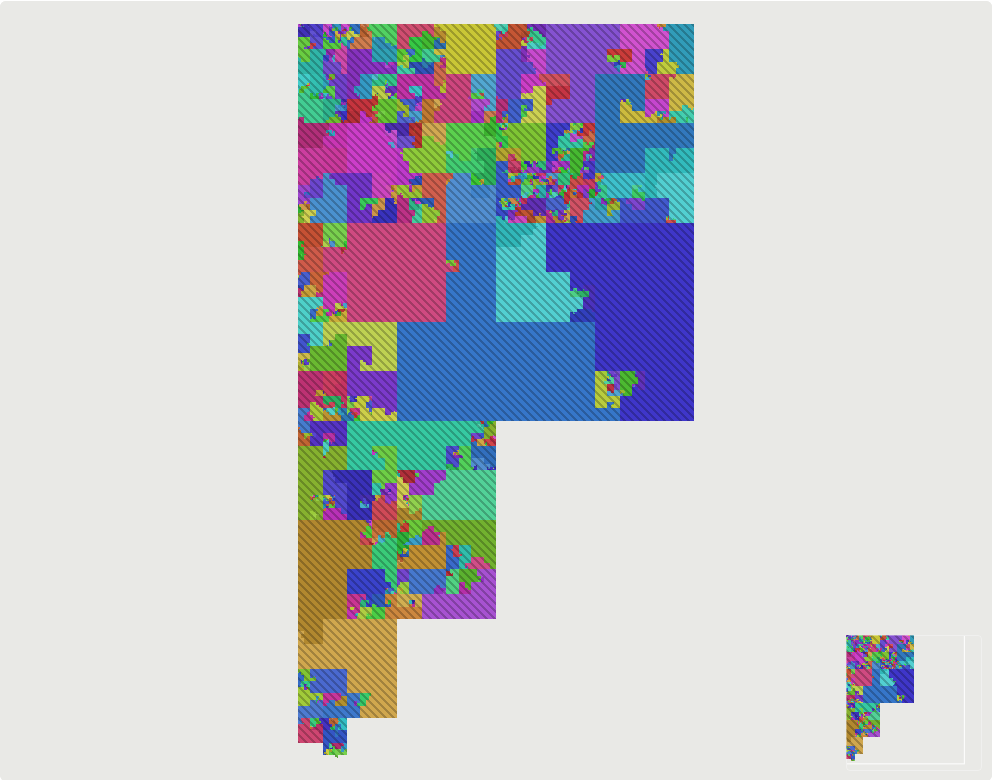
That picture needed zero NAR downloads. It was laid out in 3 ms from the narinfos alone. 🤯
§One byte, one pixel
The “trick” I learned to make this visualization possible, is the Hilbert curve. A Hilbert curve is a single, unbroken line that folds back and forth such that it completely fills up a flat square. It is a fractal.

Every store path in the closure is sorted by name (the root first) and their NARs are concatenated into one long line of bytes. The Hilbert curve folds that line into a square, so byte n is pixel n along the curve.
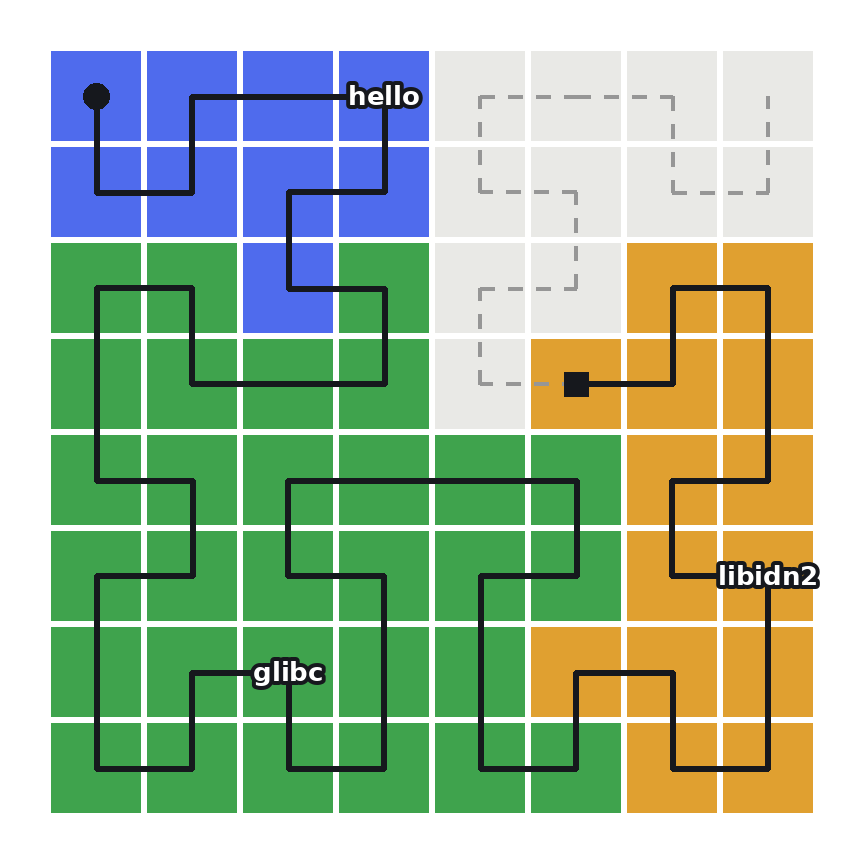
The Hilbert curve has two properties that lend itself nicely to visualize binaries and as a result Nix closures:
Bytes that are near each other in a file stay near each other on the map. A NAR is a single contiguous range of bytes, so a store path is a single contiguous region on the map. A file inside that store path is a smaller contiguous region, and a section inside that file is smaller still and so forth.
Squares are just byte ranges. Here’s a tiny 4×4 map. Each number is the byte that lands on that pixel:
 0   1  14  15
 3   2  13  12
 4   7   8  11
 5   6   9  10
That means we can easily place a store path on the map by knowing its starting byte and its size. That’s what makes the map cheap to draw.22This is why the world is always a power of four bytes. hello’s closure is 36 MiB, which fills a bit over half of a 64 MiB square, and the rest is drawn as background.
The layout only needs each path’s NarSize, which every narinfo carries, so the whole map exists before a single NAR is downloaded. Hovering already tells you which store path you are pointing at, its size, its retained size (the bytes that would leave the closure without it) and a “why is this here” chain back to the root.
§Zoom and enhance
As you zoom in, the NARs on screen are fetched from the cache and the color fills in. Here is hello’s closure, most of which is glibc:
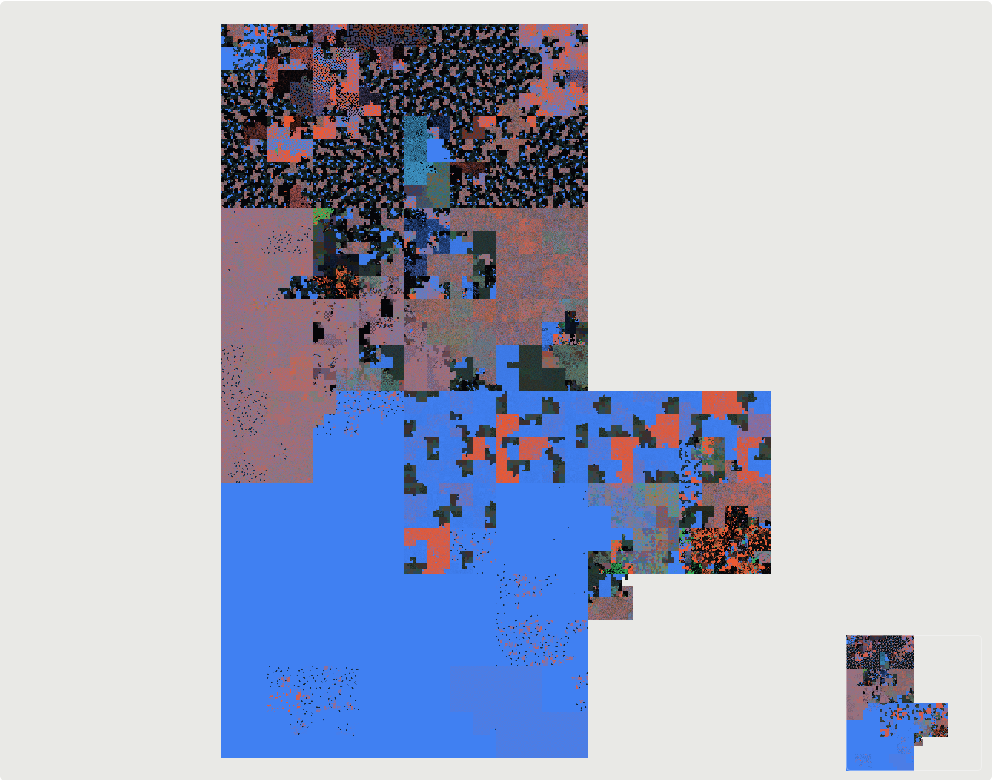
Blue is printable ASCII, red is high bytes, green is control bytes and black is 0x00. The speckled top is machine code. The big solid blue area at the bottom is glibc’s locale data, which is plain text.
Keep zooming and every pixel becomes a byte you can read. Hovering names the file inside the NAR, and for ELF files, the section.
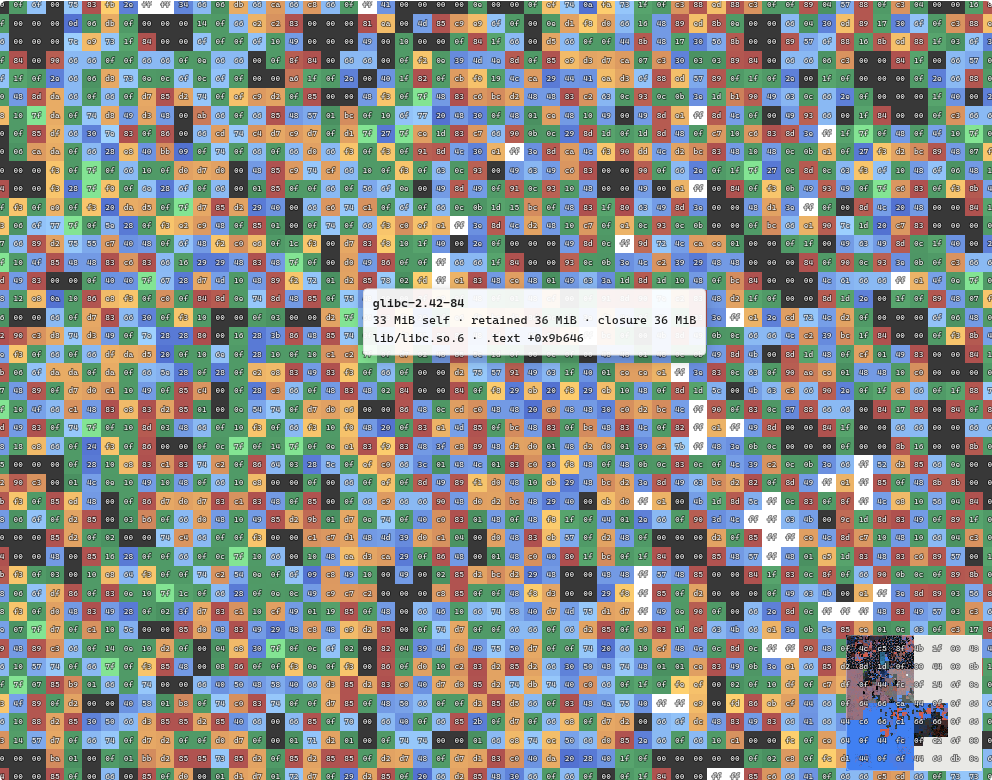
That is .text of libc.so.6, in your browser tab, fetched from cache.nixos.org, without any server. 😈
§Why though?
Does everything need a purpose? Sometimes something is fun to make and to use with no real purpose.
For fun, I even added a Save PNG button, and it saves the view at the canvas’s full resolution. The ultimate ricing of your NixOS system: a pixel image of your desktop closure. Can Omarchy do that? 😎
Anything you can export works:
$ nix path-info -r --json /run/current-system > closure.json
Drop the file and see the map. You can provide additional Nix binary caches to fetch NARs from as well.
The source is at github.com/fzakaria/seenix. Go look at something big.
Build without purpose. Have fun.